
Impresso - Video & Logo Maker
Pixery Bilgi TeknolojileriVideo Players & Editors
4.5202.00 Reviews
- Version
- 5.3.1
- Installs
- 100.00K
- Age Rating
- Everyone
Screenshots
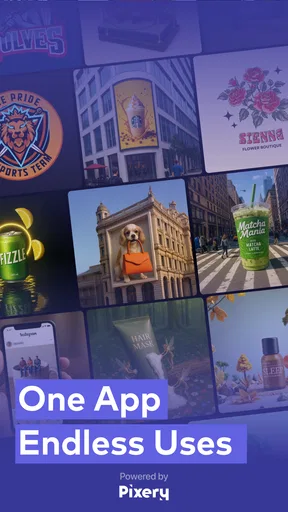


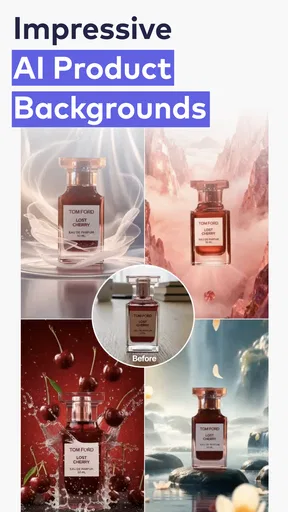
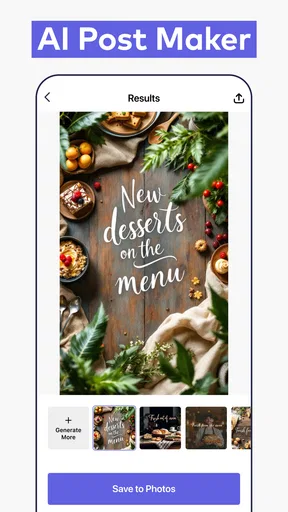
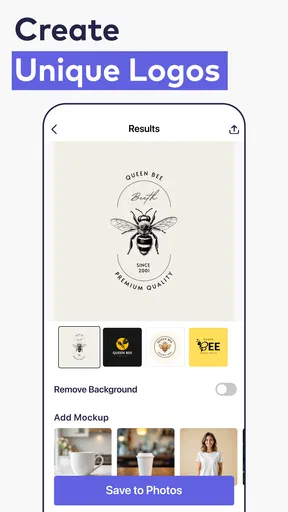
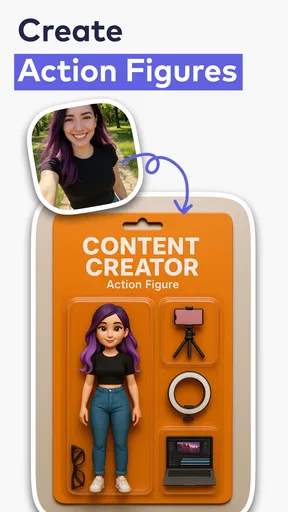
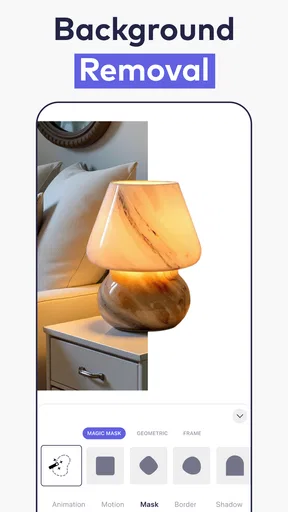
Our Review of Impresso - Video & Logo Maker
 Analysis by Appyee
I’m usually willing to try a phone-based design tool when I need a quick visual, but I’m less convinced by apps that feel exciting for one afternoon and then gather dust. Impresso - Video & Logo Maker is built around making graphics, logos, and videos with AI-assisted design, so its appeal is easy to understand: it promises a shorter path from a rough idea to something ready to share. My impression is that it can be handy for quick creative tasks, though whether it deserves a lasting place on your phone depends on how often you make this kind of content and how much control you expect.
Getting past the first-week appeal
So, first things first, let’s talk about the user interface. When I opened Impresso for the first time, I was greeted with a sleek and intuitive interface. It’s super easy to navigate, even if you’re not a design whiz. The app breaks down its main functions into easy-to-find tabs, which means you can jump right into creating without a steep learning curve.
That quick start is valuable if you have a specific, small job in mind: a logo draft for a side project, a short promotional clip for a new item, or a social post you need to prepare between other errands. A template-led tool gives you a starting point instead of asking you to build every element from a blank canvas. The trade-off is that a polished template can make several unrelated projects look alike. I’d treat the first result as a draft, then adjust the details that make it recognizably yours rather than assuming the first version is ready to represent a brand.
Features That Wow
One of the standout features of Impresso is the sheer variety of templates it offers. Whether you’re looking to create a snazzy logo or a jaw-dropping video, there’s a template for pretty much every occasion. I played around with some holiday-themed templates, and the results were nothing short of impressive. There are also tons of customization options, so you can tweak colors, fonts, and layouts to match your brand’s vibe.
For repeat use, I’d make a small set of choices before opening the editor: a couple of brand colors, a preferred type style, and the kind of image or message that should lead. That simple preparation can make template browsing more purposeful. It also helps you notice when a design is attractive but wrong for the task—for example, a busy seasonal layout may work for a one-off announcement yet distract from a product image that needs to stay central.
The AI-based design angle is most useful when I need inspiration or a quick visual direction, not when I need every detail to follow a strict brief. If I were making materials for a client, I’d review text, spacing, colors, and logo legibility at the size where people will actually see them. A design that looks balanced on a phone preview may not read as clearly in a small social avatar or on a compact product card. That final check is a sensible part of the workflow, even when the initial creation feels effortless.
Making a short video without turning it into a project
Another aspect I absolutely love is the ease of use when adding animations to videos. You don’t need any prior experience with fancy software to make something that looks professional. The drag-and-drop functionality makes it almost too easy to add those dynamic elements that really make your content pop.
For an everyday example, imagine a small shop owner who has photographed a new product during a quiet moment and wants a brief announcement before the day ends. A template and a few animated elements can help turn that image into a more lively post without opening desktop editing software. I’d keep the message short, use movement to point attention toward the product, and avoid adding animation to every element. Too much motion competes with the item being promoted and can make a quick piece feel noisier rather than more professional.
This is also where I’d draw the line between a quick maker and a full video editor. If the task is a compact promotional clip or a simple social update, a guided mobile workflow makes sense. If I needed precise timing across many shots, detailed audio work, or a carefully controlled edit, I’d choose a dedicated video editor instead. Impresso’s convenience is the point; it shouldn’t be mistaken for a replacement for every editing workflow.
Designing on the Go
One of the reasons I’m so smitten with this app is its mobility. I can whip out my phone and start creating wherever I am—be it on the train, in a café, or lounging at home. The ability to design on the go is a game-changer, especially for someone who’s often away from their desk like me.
Phone editing works best when the job is already clear. I’d use travel time to choose a direction, adjust a draft, or prepare a simple post, then do a final visual check before sharing. A small screen is less comfortable for comparing several layout details, so I wouldn’t leave a complex identity project until the last minute or expect a quick commute session to replace focused design time.
That distinction matters for people deciding whether to keep the app. If you regularly manage a small business account, community page, or personal project from your phone, the ability to create in short bursts can turn occasional design chores into a manageable habit. If you only need a logo once, or rarely make video content, the convenience may not come up often enough to justify keeping another creative app in your routine.
Sharing is Caring
Once you’ve created your masterpiece, sharing it is a breeze. Impresso lets you export your videos and logos in various formats, so you can easily post them on social media platforms or send them directly to clients. The simplicity of the sharing process means you can keep your audience engaged without any hassle.
Before sending a design to a client or publishing it, I’d check that it still reads well outside the editor: make sure the main wording is easy to understand, the intended subject is visible, and the composition doesn’t rely on tiny details. For a logo, a useful practical test is to look at it small, as if it were already being used as a profile image. This kind of review catches problems that are easy to miss while concentrating on colors and decorative elements.
When comparing it with the usual alternatives, I see a different balance of effort. A general graphic-design app may offer broader manual control, while a dedicated video editor is usually a better fit for detailed timelines and layered edits. Impresso’s strength is the idea-to-share path for people who want a designed result without building every piece from scratch. The choice comes down to your actual task, not which app has the longest list of tools.
What keeps it useful from month to month
A design app earns repeat use when it reduces a recurring chore rather than simply providing a fun first session. For a creator who regularly announces products, events, or new posts, a consistent visual approach can save time: reuse the same colors and style choices, then change the message and imagery for the next piece. I’d keep a few finished examples as references so that new designs feel connected instead of starting from a different visual direction each time.
That approach also helps with a subtle template trade-off. A template can speed up production, but choosing a new look for every post may weaken recognition. I’d favor a repeatable style for ongoing content and reserve more distinctive templates for seasonal or one-off announcements. This is a practical way to get value from a library of starting points without letting the library dictate the identity of a project.
For someone with a regular publishing rhythm, the app’s role could be modest but useful: prepare a few pieces when there is time, then make small edits as needed. For occasional users, it may work better as an install-when-needed tool than a daily habit. The right expectation is not that every person will become a frequent creator, but that recurring visual tasks are less daunting when the first step is already laid out.
Maintenance, costs, and the point where I’d switch
Impresso is a free app in the video-player and editing space, developed by Pixery Bilgi Teknolojileri. It is rated for Everyone, and it runs on Android 7.0 or later; the current version is 1.8.0. Optional in-app purchases range from $7.99 to $49.99 per item, so I’d explore the free experience first and decide whether a paid option solves a real, repeated need before spending anything. A one-time burst of curiosity is not, by itself, a good reason to buy extra access.
The app has a 1.5 average from 942 ratings, alongside 169 written reviews, and more than 50K installs. Those figures give me reason to be cautious rather than assume that a smooth first impression will translate into a trouble-free long-term routine. I’d test the exact task I expect to repeat—such as making a logo draft or preparing a short branded video—and judge the result on quality and ease before relying on it for time-sensitive work.
Maintenance here is less about complicated upkeep and more about keeping your creative process orderly. I’d save final versions with clear names and keep a separate note of the colors and wording I want to reuse. That prevents a common mobile-design headache: returning to a project later and having to rediscover what the first version was meant to achieve. If the app is not making a recurring task noticeably easier, there is little reason to keep it in a crowded routine.
I’d skip it if you need exact brand standards, highly controlled print-ready work, or fine-grained video editing as your normal workflow. In those cases, a desktop design program or a dedicated editor is likely a better fit. I’d also be wary of choosing any template-based result as a final logo without checking that it is distinctive enough for the project. Fast ideation is helpful; a brand identity that must stand apart deserves more careful review.
Little Extras That Make a Big Difference
Aside from the main features, Impresso also includes some neat extras that I didn’t know I needed until I tried them. There are options to add music tracks to your videos, which can set the perfect mood for your content. Plus, the app updates frequently with fresh templates and features, so there’s always something new to explore.
Music is most useful when it supports the purpose of a clip rather than filling silence by default. For a product announcement, I’d make sure the visual and message still carry the piece if someone watches without focusing on the soundtrack. That keeps the video clear in more situations and avoids letting an added track distract from the product. Similarly, fresh template choices are welcome when I have a new brief, but browsing them endlessly can become a substitute for finishing a design.
That is the main source of fatigue I’d watch for: novelty can make an app feel productive even when I’m spending more time exploring styles than completing useful work. I’d set a simple goal before opening it—make one logo direction, prepare one post, or finish one short clip—then stop when the job is done. A tool that supports a small, repeatable workflow is more valuable to me than one that keeps tempting me into another round of browsing.
Final Thoughts
All in all, Impresso - Video & Logo Maker has been a fantastic discovery for me. It’s a powerful, yet simple tool that caters to both beginners and seasoned creators. If you’re looking to elevate your content without spending hours learning complex software, this app is definitely worth a try. So, why not give it a spin and see what creative magic you can make?
My longer-term recommendation is more measured: try it for a real task you already have, not just to see what the templates can do. If it helps you produce repeatable social graphics or simple promotional videos with less fuss, it may earn a place in your toolkit. If your needs are rare, technically demanding, or centered on precise control, I’d move on to a more specialized option. For me, its lasting value rests on whether the quick start continues to save time after the first-week novelty has worn off.
Verdict
Strengths of Impresso - Video & Logo Maker
- Intuitive interface for easy navigation.
- Wide variety of templates available.
- High-quality export options.
- Supports both video and image editing.
- Regular updates with new features.
Limitations of Impresso - Video & Logo Maker
- Limited free features without subscription.
- Occasional app crashes reported.
- Some templates are repetitive.
- Exporting can be slow at times.
- Watermark on free version exports.
Other Releases by Pixery Bilgi Teknolojileri
View All
Funimate Video Editor & Maker
Video Players & Editors4.3

CloneAI AI Video Generator
Photography2.8

Zurna: AI Song & Music Maker
Music & Audio4.4

Mythic Survivors
Action4.7
Similar Picks in This Category
View All
Google TV
Google LLC3.9

iTunes
Apple4.7

YouTube
Google LLC3.8

MX Player
Amazon Mobile LLC4.2

CapCut - Video Editor
Bytedance Pte. Ltd.3.5

PLAYit-All in One Video Player
PLAYIT TECHNOLOGY PTE. LTD.4.5
Frequently Asked Questions
What features does Impresso offer for video creation?
Impresso provides a robust suite of tools for creating stunning videos. Users can access a variety of templates, text animations, and music tracks. Additionally, the app allows for easy customization with drag-and-drop features, ensuring both beginners and professionals can create high-quality videos swiftly and efficiently.
Is Impresso suitable for small business marketing?
Yes, Impresso is particularly effective for small business marketing. It offers tools to design eye-catching promotional videos and logos, helping businesses enhance their brand visibility. The app's user-friendly interface and professional-grade templates make it easy to produce content that can attract and engage potential customers.
Does Impresso support logo creation, and what are the options?
Impresso does support logo creation, offering a range of customizable templates and design elements. Users can select from various fonts, colors, and icons to create unique logos. This versatility ensures that businesses and individuals can design logos that reflect their brand identity effectively.
Can Impresso be used by beginners with no design experience?
Absolutely, Impresso is designed with beginners in mind. The app's intuitive interface and straightforward editing tools make it accessible to users with no prior design experience. Tutorials and guides are available within the app to help new users navigate and make the most of its features.
What are the limitations of the free version of Impresso?
The free version of Impresso provides access to a limited selection of templates and tools. Users may encounter watermarks on videos and may not have access to premium features such as advanced templates and music tracks. Subscribing to the premium version unlocks these additional features and removes watermarks.
